MALWARE ANALYSIS. CLEARLY EXPLAINED.
Upload any malware, program or script. Our AI threat intelligence platform goes beyond vendor verdicts.
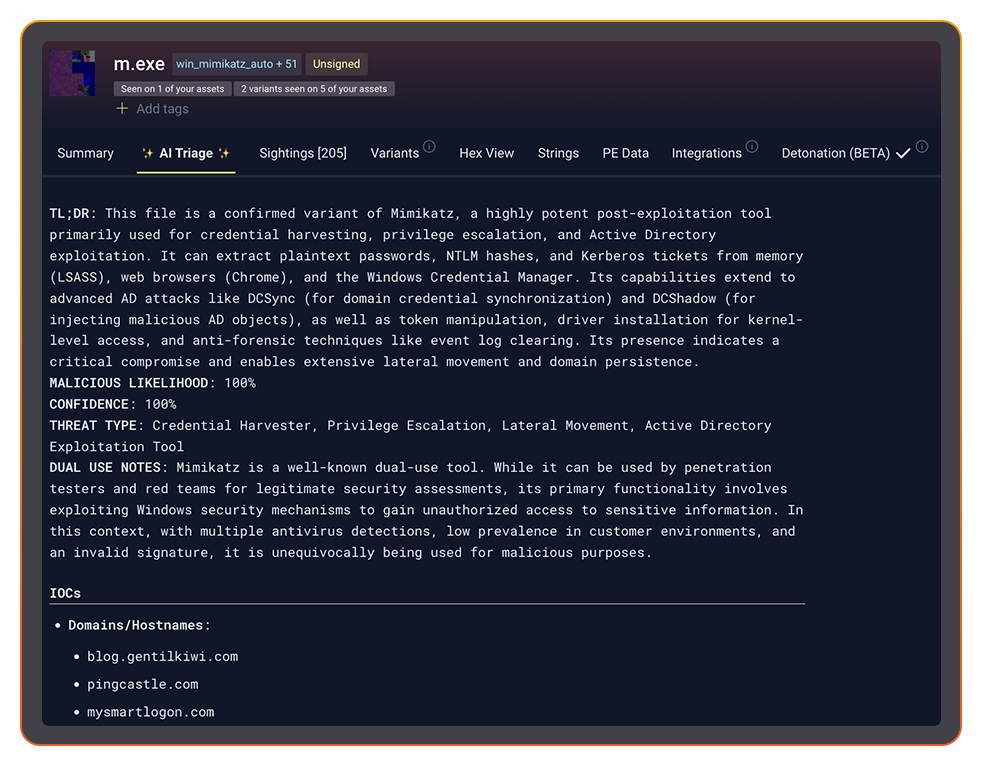
Stairwell delivers deep file analysis and uses natural language to explain what the file does.
😕 Upload failed, please try again
Drop it like it's hot
This tool was designed for the analysis of executable files and scripts. Output quality may vary for other file formats.
By submitting data or files above, you are agreeing to our
Stairwell Intelligent Analysis Terms of Use
and
Privacy Policy. Please do not submit any personal information; we are not responsible
for the contents of your submission.
If you have an existing Stairwell account, please log into the
Stairwell app
to access this functionality, if available, to ensure your files are
handled in accordance with your environment settings and policies.
Stairwell Intelligent Analysis (SIA) supports nearly all file types,
with deep optimization for executables and scripts. Enhanced support for
archives, documents, and images is on the way.
Would you like to continue?

PRIVATE MALWARE
ANALYSIS
FOR THE ENTERPRISE
PRIVACY ASSURED
Your uploaded files are stored in a private vault and never shared.
INSTANT MALWARE
ANALYSIS USING AI
Know with confidence whether the file is malicious or not.
MALWARE REPORT IN SECONDS
Upskill your SOC analyst with an AI generated report of what the malware does.
FILE ANALYSIS THAT CONNECTS THE DOTS
-
Is this file good or bad?
Avoid conflicting opinions from different vendors with a single verdict. -
Malware explanation made easy
Know exactly what the file was written to do and explained in clear language. -
Continuous YARA
Run YARA rules against your files continuously to improve detection. -
Detects variants others miss
Variant discovery understands the full family tree of a malware sample. -
Unlimited file upload and storage
Upload your enterprise’s files to a private vault for storage and analysis. -
Continuous re-analysis
With analysis that never stops, Stairwell gets smarter every day.
“AI triage is great. Unlike other vendors, it explains the analysis in simple natural language and delivers a clear summary of what the file is about. Very quick and helpful.”
ISAC member
EVERY SECURITY TEAM
BENEFITS FROM AI TRIAGE
FASTER ALERT TRIAGE
BETTER THREAT INTELLIGENCE
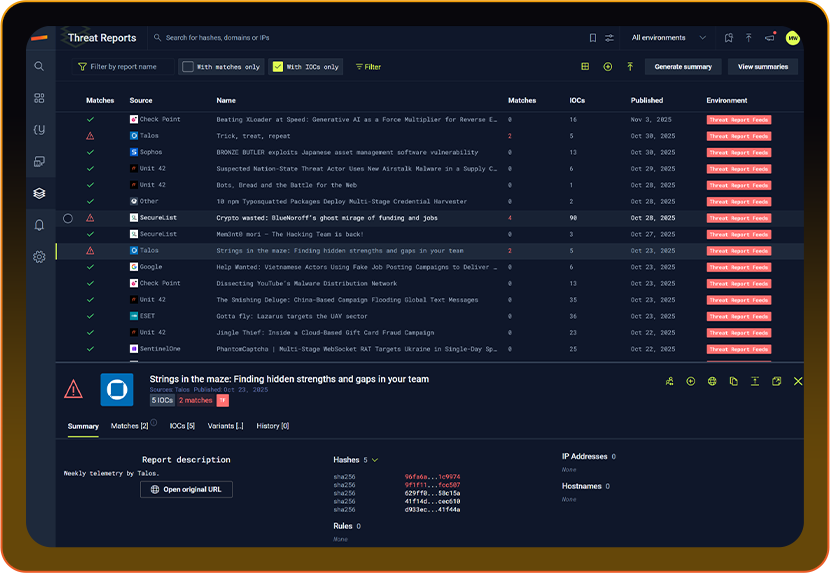
Understand connections from malware to IOCs and files in your environment. See the complete threat intelligence picture.
IMPROVE INVESTIGATIONS
IT STARTS WITH A FILE.
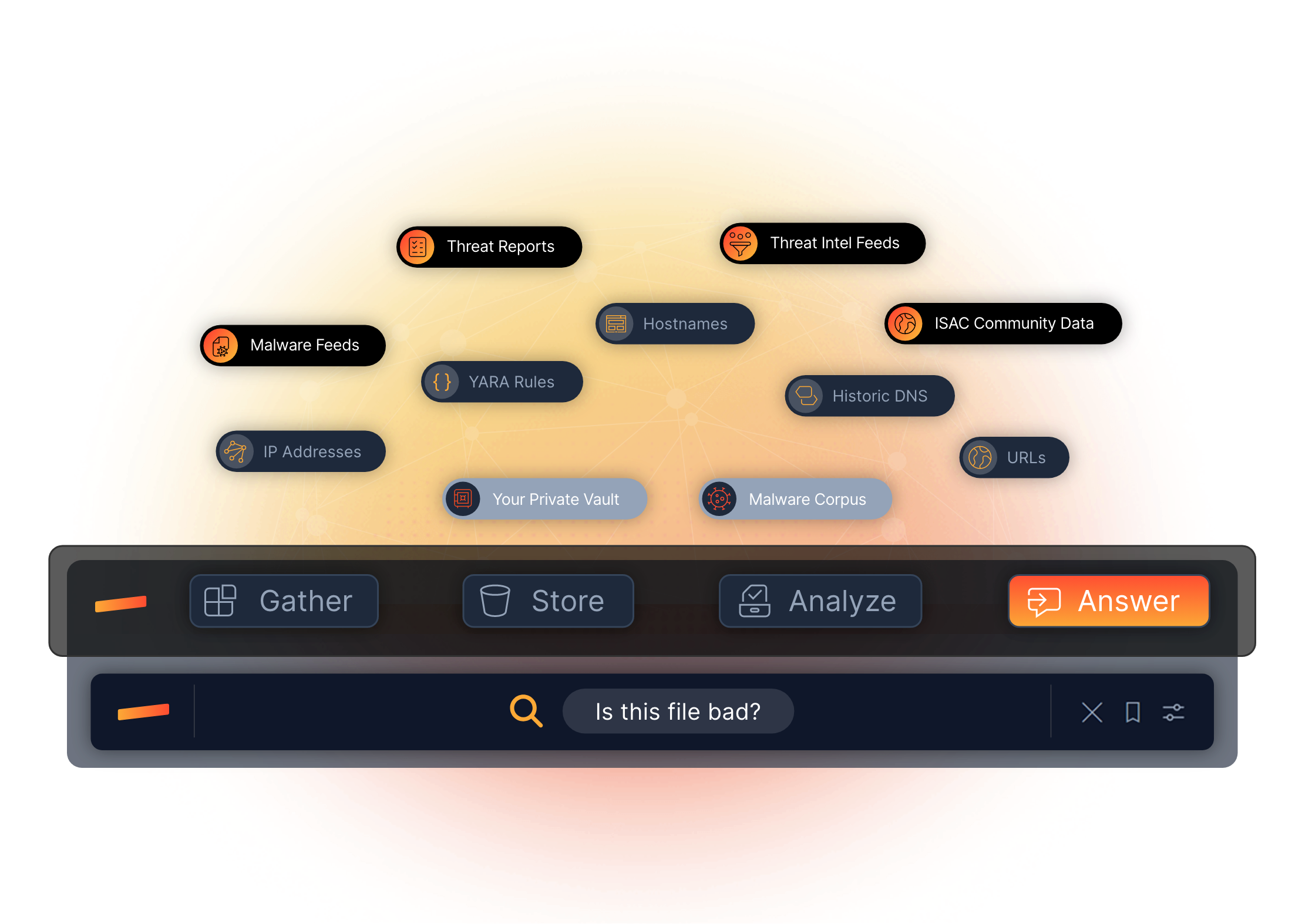
Stairwell connects threat intelligence to your enterprise to answer security questions faster
OPERATIONALIZED THREAT INTELLIGENCE
HOW STAIRWELL WORKS
VARIANT DISCOVERY
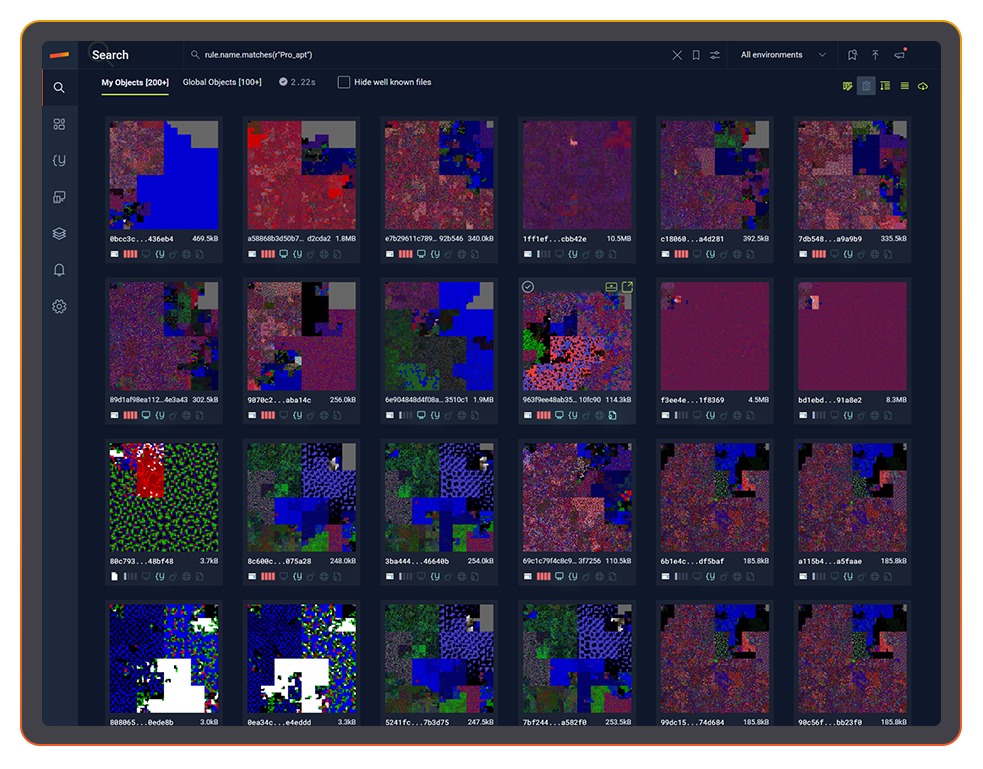
FIND HIDDEN MALWARE VARIANTS
RUN TO GROUND
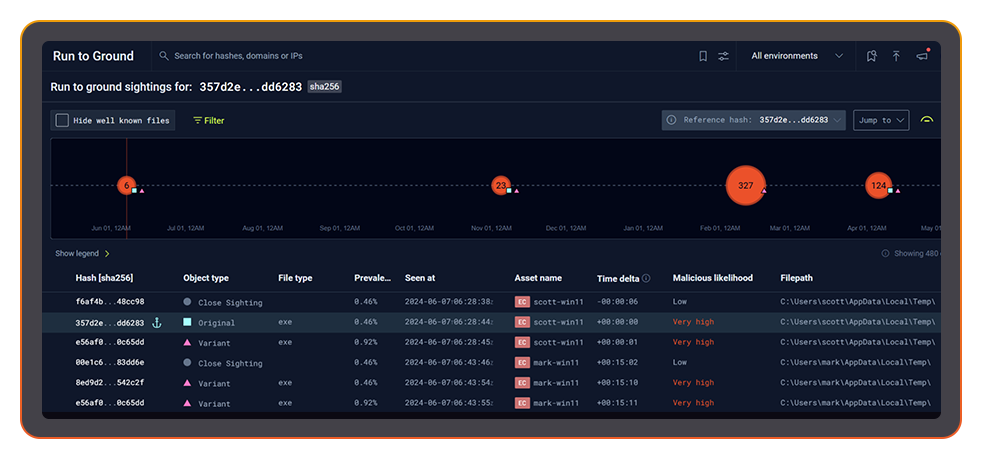
AUTOMATED FORENSICS.
IN SECONDS.
THREAT REPORTS
AUTOMATED IOC HEALTH CHECK
ENGINEERED FOR PLANET-SCALE
Built by Google and intelligence veterans. Web-scale indexing, YARA at ludicrous speed, and structured AI reasoning turn raw artifacts into instant understanding across everything you’ve ever seen.
LEARN MORE ABOUT STAIRWELL
FREQUENTLY ASKED QUESTIONS
What is SOC alert triage and why does it slow down security teams?
SOC alert triage is the process of evaluating incoming alerts to determine which ones represent real threats, which are false positives, and which require escalation. In a busy SOC environment, analysts may review hundreds of alerts per shift, and the time spent manually looking up file hashes, checking reputation services, and reading vendor verdicts adds up quickly, leaving less time for genuine investigation. The pivoting between siloed unconnected tools and human hand-offs between level 1 and level 2 analysts is both inefficient and costly.
The triage bottleneck gets worse as alert volume grows and analyst capacity stays flat. Every minute spent on a benign alert is a minute not spent on the suspicious one that matters. Effective triage depends on having fast, reliable access to file intelligence: what does this file do, is it associated with known malicious activity, how prevalent is it, and what else in the environment looks like it. Tools that answer those questions automatically, before the analyst opens the ticket, change the economics of SOC operations.
How does Stairwell's AI triage differ from traditional antivirus verdicts?
Traditional antivirus verdicts rely on signature matching: a file is flagged if it matches a known bad hash or signature in the vendor’s database. AI triage goes further by analyzing file structure, code characteristics, behavior indicators, and contextual signals to reason about what a file is built to do, even when no signature exists for that specific sample.
The practical difference for an analyst is explainability. An AV verdict tells you whether a file matched a signature. AI triage tells you what the file does, what characteristics made it suspicious, and how confident the analysis is. That explanation speeds up adjudication because the analyst can evaluate the reasoning rather than simply accepting or overriding a black-box score. Stairwell’s AI Triage is designed to produce this kind of explained verdict, combining static file features with enriched threat intelligence to generate a clear, readable summary of what the file does and why it warrants or does not warrant escalation.
When should an analyst use AI triage instead of submitting a file to a sandbox?
AI triage based on static analysis is the right starting point for most unknown files. It is fast, does not require executing the file, and reveals structural and behavioral indicators that sandbox environments sometimes miss because sophisticated malware checks for sandbox conditions and changes its behavior accordingly. For routine triage, static-based AI analysis like Stairwell’s AI Triage provides a verdict in seconds without the latency or evasion risks of a full detonation.
Sandbox detonation is most valuable when you need confirmed behavioral evidence of network connections, file drops, registry modifications, or process injection, typically because you are building a detailed report, investigating an active intrusion, or need behavioral indicators for detection rule development. In a high-volume SOC, running every alert through a sandbox is not practical. The better workflow is to use AI triage to prioritize which files actually warrant detonation, reserving sandbox time for samples that scored high on the static analysis and belong to families where runtime behavior documentation is critical.
How does AI triage help reduce false positives in SOC alert workflows?
False positives in a SOC typically fall into two categories: benign files that triggered a detection rule, and files that are genuinely unusual but not malicious. AI triage reduces both by providing context beyond the binary verdict. A plain-language explanation of what a flagged file does often reveals immediately whether the alert reflects expected behavior from a known application or something genuinely outside the norm.
The secondary benefit is analyst calibration. When analysts receive explained verdicts consistently, they build pattern recognition faster. A Tier 1 analyst who sees a hundred AI triage reports over a few weeks develops a much sharper intuition for which characteristics actually matter, reducing the cognitive load of manual evaluation. Triage malware analysis that explains its reasoning also makes it easier for senior analysts to review Tier 1 decisions, because the reasoning is transparent rather than buried in raw tool output.
How do you integrate AI file triage into an existing SIEM or SOAR workflow?
Integrating AI triage into an existing workflow typically involves API access to a file analysis service that accepts a hash or file submission and returns a verdict with supporting context. The verdict and explanation can then be appended to the alert ticket automatically, so the analyst sees the analysis when they open the case rather than having to run a separate lookup.
The most effective SOAR integrations treat AI triage as an enrichment step that runs automatically on every file-based alert. When the SOAR playbook fires, it submits the associated file hash, receives the triage verdict, and populates the ticket with the analysis summary, prevalence data, and any related variant or IOC matches. This compresses the time between alert and first-look significantly. Stairwell integrates with major SIEM and SOAR platforms including Splunk, Google Security Operations, and Tines, so triage results flow directly into existing investigation workflows without manual steps.
What information should a good AI triage verdict include for a SOC analyst?
A useful AI triage verdict should include a clear verdict (malicious, suspicious, or benign), an explanation of the characteristics that drove the verdict, the file’s local and global prevalence, any matching YARA rules, associated IOCs or related file hashes, and an assessment of what the file is designed to do. Without that context, the verdict is just another score an analyst has to interpret without supporting evidence.
The explanation matters as much as the verdict itself. An analyst looking at an unfamiliar file type or an unusual code pattern benefits enormously from a description of what the file’s behaviors indicate, framed in terms that make sense in an investigation context rather than raw technical output. Verdicts that explain capability, not just classification, accelerate SOC triage because the analyst can make a judgment call based on actual understanding of the threat rather than trusting a number they cannot evaluate independently.
What types of files should an enterprise prioritize for malware triage?
Executables, scripts, and dynamic libraries represent the highest-priority file types for malware triage because they are the most common vehicles for malicious code. This includes PE files (EXE, DLL), shell scripts (PS1, CMD, SH), Python files, VBScript, MSI installers, and ELF binaries. These are the file types most likely to contain active malicious code that can execute on an endpoint.
In enterprise environments, triage priority should also factor in context: is the file bad, where the file appeared, whether it is rare in your environment, and are there other files associated with the campaign. A PowerShell script dropped in a user temp directory shortly after a phishing alert is a much higher priority than the same script found in a known software deployment path. Effective SOC triage combines file intelligence with environmental context to score alert urgency accurately.